

Your TopoKit
TopoKit is a free download. Creating and editing need the full app, unlocked by Monthly, with a free first month, or by Unlock Forever.
What you can do without unlocking
Section titled “What you can do without unlocking”Without unlocking, you can open, view and export everything you made: any project, including a .mapproject file someone sends you; showing, hiding, moving, copying and deleting layers, and renaming a folder; search and the card a tap or hold opens; on iPhone, the GPS tab’s readouts; exporting and sharing; Settings; and iCloud sync.
Nothing is dimmed or badged. A control that needs the full app opens the Unlock TopoKit sheet in place of its tool, and an editor shows the sheet’s content in place of its own.
What asks you to unlock
Section titled “What asks you to unlock”- A new project from the Projects tab or, on Mac, File → New Project…
- Add Point, Add Line, Add Polygon and Add Circle, however they start; Add Point and Save on a card; Edit Vertices on Map; opening a feature’s, raster’s, tile layer’s or basemap’s editor; a folder’s style sheets
- Add Route, Route here on a card (Route to Here on Mac and in Layer options), and every other way of starting a route
- Add Vector Layer… and Add Raster Layer…, which ask once a file is picked; on Mac, dragging a file in; and opening a file in TopoKit from another app
- Add Tile Layer…, Download Map Tiles… and Download for This Device
- Download Elevation…, the terrain download on a card, and Elevation Profile
- Picking an area in Basemaps and Build on This Device
- Record Track on the GPS tab, on iPhone
The profile shown while you draw a line or a route does not ask again: the tool asked when it started.
The Unlock TopoKit sheet
Section titled “The Unlock TopoKit sheet”Under the title, the sheet gives one line naming what asked, such as “Routes are part of the full app.”
On Mac, Unlock TopoKit… in the TopoKit menu opens the sheet at any time (The menu bar). On the free month or Monthly, it offers Unlock Forever alone.
Monthly and Forever
Section titled “Monthly and Forever”Both plans unlock every iPhone and Mac signed into the same Apple Account. Unlock Forever is one payment. Monthly offers the free first month while the App Store says your account can still have it. The cards show the App Store’s prices in your account’s currency; the TopoKit website lists them.
You cancel Monthly or the free month with Manage Subscription on the Your TopoKit page, which opens Apple’s subscription settings.
On the free month or Monthly, the page offers Unlock Forever alone. Buying it does not cancel Monthly: when Monthly is still set to renew, TopoKit shows the renewal date right after the purchase, with Manage Subscription to cancel it.
If you already own TopoKit
Section titled “If you already own TopoKit”Anyone who bought TopoKit before it became a free download, or gets it before 1 January, owns all of it on every iPhone and Mac signed into that Apple Account, with nothing to buy or restore. TopoKit reads this from the App Store’s record of when your Apple Account first got the app.
The Your TopoKit page
Section titled “The Your TopoKit page”Settings → Your TopoKit is the first row of Settings, with your state under its name. Its page holds Manage Subscription on the free month or Monthly, the plan cards unless you own TopoKit outright, and Purchase Help, which opens TopoKit’s support page.
On Mac, the Settings window has no Your TopoKit tab: Your TopoKit, Restore Purchases and Redeem Code are at the top of its About tab (The Mac Settings window).
| The row reads | What it means |
|---|---|
| Checking… | TopoKit has no answer from the App Store yet and none saved. Everything is unlocked until it has one. |
| Free trial · Ends date | Your free month. In its last three days the row counts down to “Ends today”; after that, Monthly starts unless you cancelled. |
| Monthly · Ends date | Monthly with renewal turned off, unlocked until that date. |
| Monthly · Payment problem | Apple could not take the payment and is retrying. TopoKit stays unlocked until the date the page gives. |
Restore Purchases and Redeem Code
Section titled “Restore Purchases and Redeem Code”TopoKit asks the App Store what you own each time it opens and each time it comes back to the front, so a purchase from another device arrives without either control.
- Restore Purchases: syncs your Apple Account’s purchases with the App Store, which may ask you to sign in.
- Redeem Code: opens Apple’s code sheet. TopoKit checks what you own again when the sheet closes.
On Mac, Restore Purchases is also in the TopoKit menu.
Reminders and payment problems
Section titled “Reminders and payment problems”In the last three days of the free month, a banner reads “Free period ends date.” Its Unlock Forever opens the sheet offering Forever alone.
When Apple cannot take a Monthly payment, the banner reads “Payment problem.” Its Update in Settings opens Apple’s subscription settings, as Manage Subscription does. TopoKit stays unlocked through Apple’s grace period. If Apple still has no payment after it, TopoKit locks, the sheet’s first button becomes Manage Subscription, and TopoKit unlocks again as soon as the payment goes through.
Closing the banner hides it until TopoKit next opens.
Without a connection
Section titled “Without a connection”Losing the connection never locks TopoKit. TopoKit keeps the App Store’s last answer and starts from it, so it opens in the right state without a signal.
When a renewal date passes offline, for three days the row still reads “Monthly · Renews date”, then “Monthly · Checking renewal”, and the page asks you to connect once to confirm.
Without the App Store, the sheet and the page show “Prices aren’t available. TopoKit can’t reach the App Store right now.” with Try Again in place of the plans. For everything else that works offline, see Before you go offline.
When a plan ends
Section titled “When a plan ends”TopoKit checks only when an action starts or an editor opens, never while work runs, so whatever was under way finishes and saves: a track recording, an open editor, a shape already begun, an import already reading, and a basemap build with the areas queued behind it. The next action that needs the full app opens the sheet with the reason in place of the action’s line.
Purchases that wait
Section titled “Purchases that wait”With Ask to Buy, TopoKit unlocks as soon as the purchase is approved, even if you closed the sheet. Until then the row reads “Not unlocked · Waiting for approval”, and every action that needs the full app shows that message with OK. A declined request is never reported to TopoKit, so it keeps waiting; Restore Purchases ends the wait and shows the plans again.
The safety notice
Section titled “The safety notice”Before you head out says that TopoKit is not certified for navigation or life-safety use, that anything it shows can be wrong, that its elevation is not survey grade, and that you should carry another way to navigate.
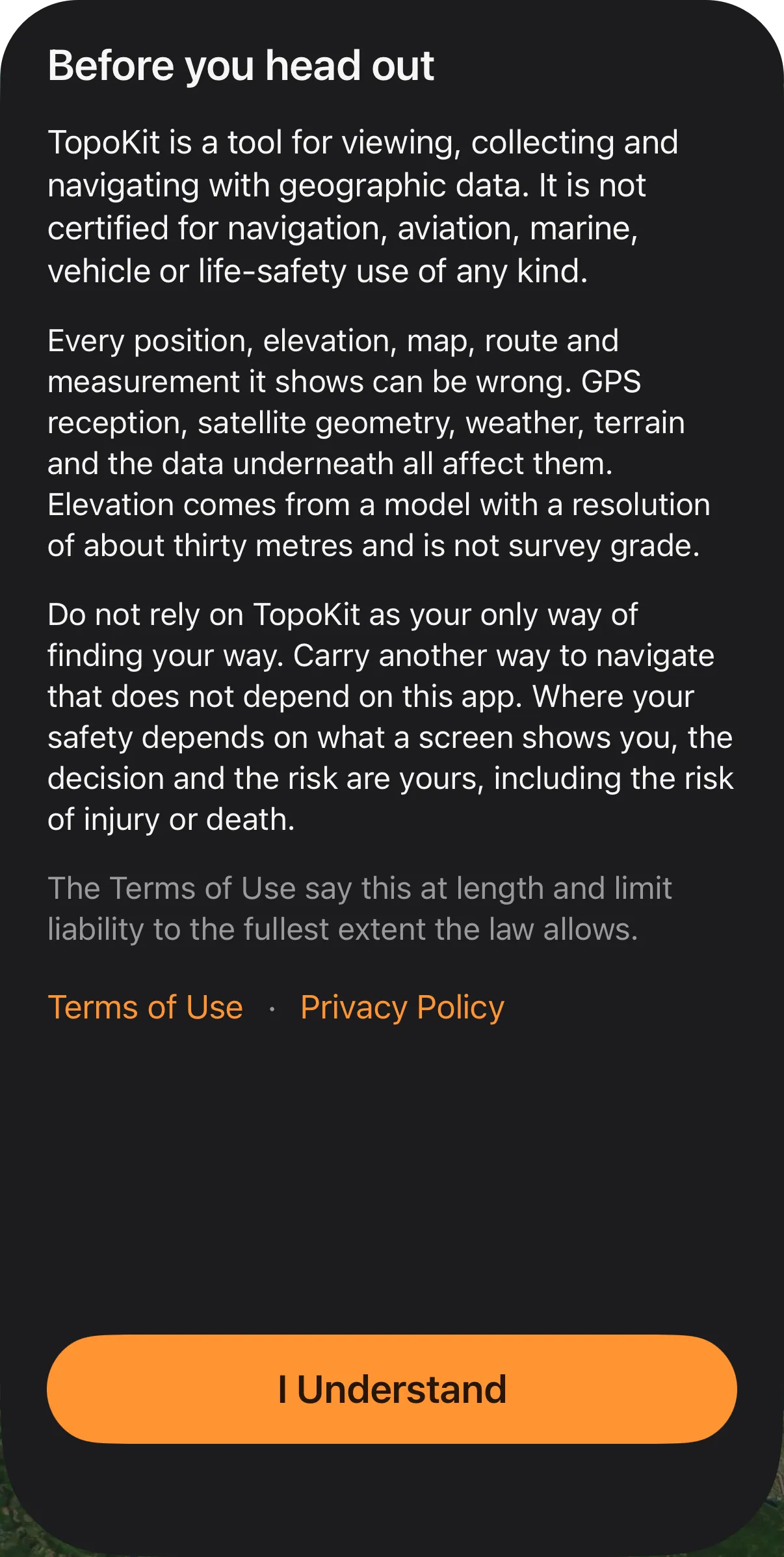
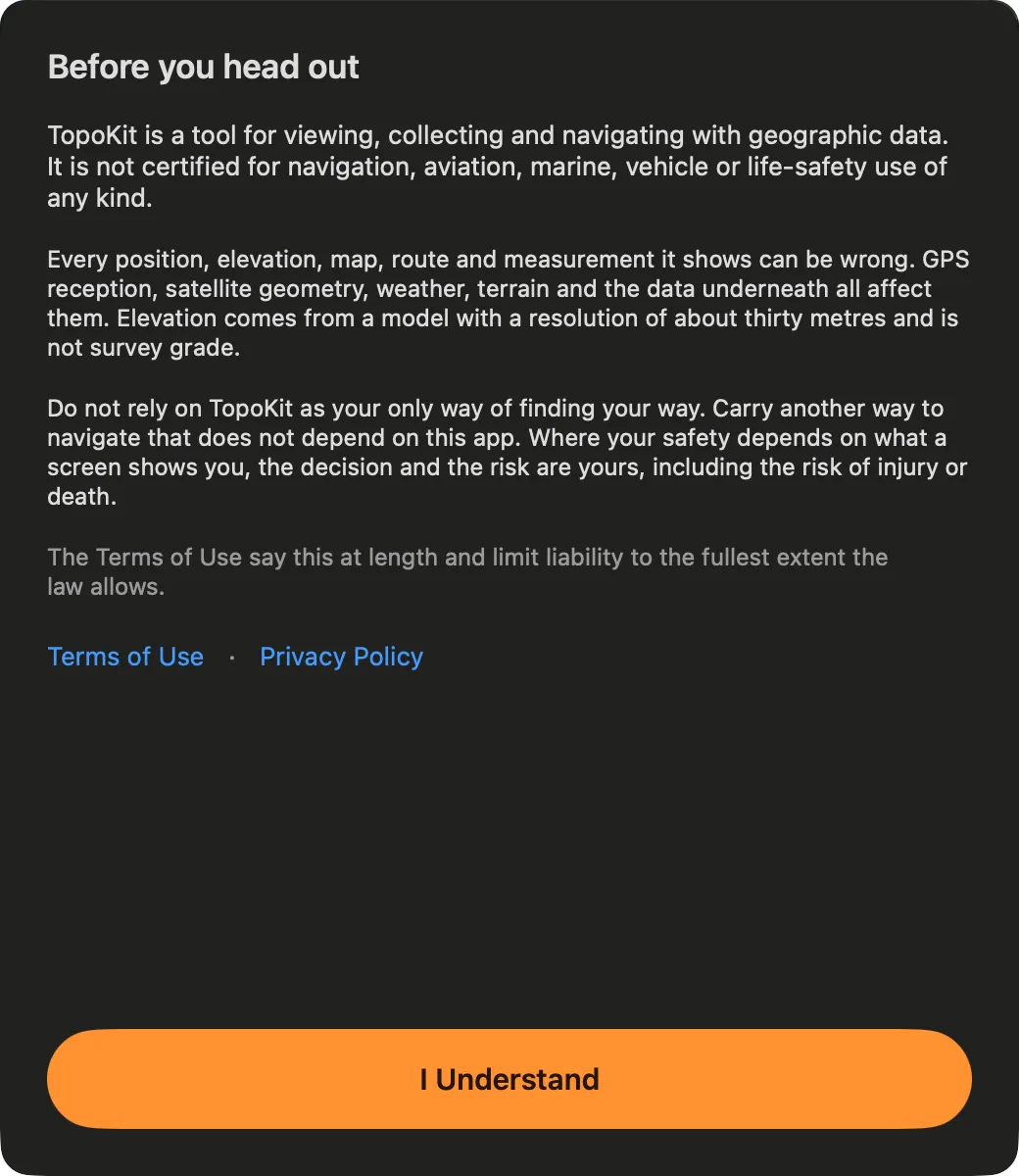
It appears once on each device: when the introduction ends for someone new, and on the first launch of 1.2 for anyone who finished the introduction in an earlier version. Only I Understand closes it. Replay Introduction does not bring it back (The first launch); a later version of TopoKit shows it again only if the notice’s words change.
Can I cancel the free month without paying? Yes: cancel with Manage Subscription at least 24 hours before the free month ends, and Monthly never starts.
The sheet says “Purchases are turned off on this device.” Why? In-app purchases are blocked on the device, by parental controls or by whoever manages it. TopoKit shows no plans until that changes.